Let’s be honest, getting traffic to your website is hard enough. But what’s worse? Watching most of those visitors leave without clicking anything. You’re probably here because you want to learn how to improve website engagement.
Here’s the reality: up to 80% of users will abandon a website within seconds if the design and experience don’t meet expectations. That’s not just a UX issue; it’s lost revenue, missed leads, and wasted marketing spend.
In this guide, we’ll break down why users leave poorly designed websites and, more importantly, how to keep them engaged, clicking, and converting.
What Does “Visitors Leaving” Actually Mean?
Before we move forward, we need to set the record straight on one thing.
A “bounce” happens when a user lands on your website and leaves without taking any action, no clicks, no scrolling, no engagement.
While some bounce is normal, consistently high bounce rates (70%–90%+) often signal deeper problems like:
- Poor design
- Slow loading times
- Confusing navigation
- Mismatched content expectations
And here’s the kicker: 88% of users are less likely to return after a bad experience.
So yes, first impressions matter. A lot.
1. First Impressions Happen in Seconds (And They’re Brutal)
Users form an opinion about your website almost instantly, sometimes in as little as 0.05 seconds.
Even more striking:
- Most visitors’ first impressions are design-related
- Most users decide whether to stay or leave within 5 seconds
Why This Matters
If your site looks outdated, cluttered, or confusing, users won’t stick around to “figure it out.” They’ll just leave.
How to Fix It
- Let the content breathe, keep it simple and clean
- Make your value proposition clear immediately
- Ensure your branding feels professional and consistent
If you’re unsure where to start, investing in AI-driven SEO and UX improvements can help align design with user intent
2. Slow Websites Kill Engagement
Latency isn’t a performance lag, it’s a systemic failure point.
- 53% of mobile users leave if a site takes longer than 3 seconds to load
- Bounce probability increases dramatically with every second delay
Why This Matters
Users expect instant access. If your site lags, they assume everything else will too.
How to Fix It
- Run a mobile performance test, such as PageSpeed Insights, to identify key issues
- Compress images and optimize media
- Use reliable hosting
- Minimize unnecessary scripts and plugins
Fast websites don’t just keep users, they convert better.
3. Bad UX = Instant Exit
User experience (UX) is everything.
When visitors feel confused, overwhelmed, or frustrated, they leave. Simple as that.
Common UX issues include:
- Cluttered layouts
- Too many pop-ups
- Hard-to-read text
- Poor visual hierarchy
And the impact?
- 88% of users won’t return after a bad experience
How to Fix It
- Simplify your layout
- Guide users with clear visual hierarchy
- Remove distractions and unnecessary elements
Think of your website like a guided journey, not a maze.
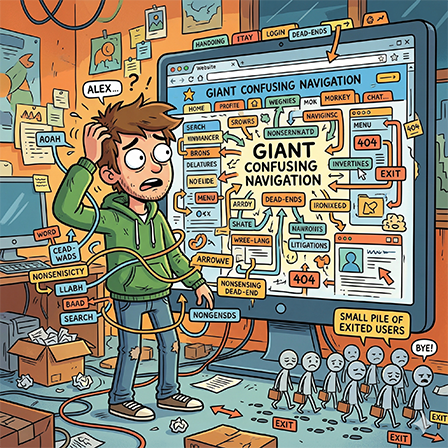
4. Confusing Navigation Drives People Away
A hidden solution is no solution at all. Users won’t dig for what should be delivered.
- 37% of users leave due to poor navigation
- Better UX = Lower Bounce. Fix your navigation and keep 40% more of your audience.
Why This Matters
Ditch the discovery phase. Users aren’t looking for a journey; they’re looking for the exit, with the right answer in hand.
How to Fix It
- Use simple, intuitive menus
- Make your CTA stand out and easy to find
- Keep navigation consistent across pages
- Add a search bar for quick access
5. Your Content Doesn’t Match User Intent
You can have a beautiful website, but if your content doesn’t match what users expect, they’ll leave immediately.
Misalignment can increase bounce rates by up to 30%.
Example
User searches: “Affordable gaming keyboards for beginners”
Your page: Talks about branding with no pricing or product info
Result? Instant exit.
How to Fix It
- Align content with search intent
- Deliver value quickly (above the fold)
- Use clear headings and structure
For businesses targeting local markets, check out affordable SEO services in Cape Town to better match user expectations.
6. Mobile Experience Is Often an Afterthought
And that’s a huge mistake. Don’t forget how much time the average person spends on their phone.
- Mobile users have the highest bounce rates
- 72% of users leave if a site isn’t mobile-friendly
Why This Matters
Most traffic today is mobile. If your site isn’t optimized, you’re losing the majority of your audience.
How to Fix It
- Use responsive design
- Optimize for touch navigation
- Ensure fast load times on mobile
Mobile-first is the new standard, and a major ranking factor in Google.
7. No Clear Call-To-Action (CTA)
As we mentioned earlier, your CTA needs to stand out. If you want visitors to take a certain action on your website, guide them clearly, or watch them go.
Common CTA Problems
- Too vague (“Learn more”)
- Hard to find
- Too many competing options
How to Fix It
- Use clear, action-driven language
- Highlight CTAs visually
- Limit choices to avoid overwhelm
Even small CTA improvements can significantly reduce bounce rates.
8. Overwhelming or Cluttered Design
More is not better.
Clutter leads to cognitive overload, and users check out mentally before they leave physically.
Signs of Clutter
- Too many colors
- Too much text
- Competing elements everywhere
How to Fix It
- Embrace minimalism
- Focus on one goal per page
- Use spacing strategically
Remember: clarity beats creativity every time.
9. Lack of Trust Signals
Users are skeptical. If your website doesn’t feel trustworthy, they won’t stay.
- 75% of users judge credibility based on design
Missing Trust Signals
- No testimonials
- No contact information
- Outdated design
- No HTTPS/security indicators
How to Fix It
- Add reviews and testimonials
- Display certifications or affiliations
- Make contact details easy to find
- Share facts and statistics about your business
Want to build trust fast? Make it easy for users to contact your team and ask questions.
10. No Internal Linking or User Journey
If your site doesn’t guide users somewhere next, they leave.
- Internal links can reduce bounce rate by 10%
Why This Matters
Every page should lead somewhere: another page, a product, a form.
How to Fix It
- Add contextual internal links
- Use “related content” sections
- Guide users through a clear funnel
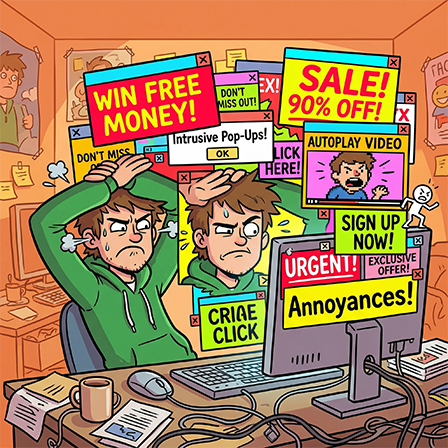
11. Intrusive Pop-Ups and Annoyances
You know that feeling when you open a site to look for something, and then get bombarded with pop-ups on every click? This is a big one. Nothing kills user experience faster than interruptions.
- Pop-ups, autoplay videos, and aggressive ads drive users away instantly
How to Fix It
- Delay pop-ups
- Make them easy to close
- Use them sparingly
Respect the user’s experience, and they’ll stay longer.
12. Weak Content Structure (Hard to Read = Easy to Leave)
Most users don’t read, they scan. They want key information to be instanstly accessible.
- 67% of users prefer scanning content
How to Fix It
- Use headings and subheadings
- Break content into short paragraphs
- Add bullet points and visuals
- Use TL;DR for quick summaries
Better structure = better engagement.
Final Thoughts: How to Actually Keep Visitors on Your Site
If there’s one takeaway, it’s this:
Users don’t leave bad websites, they leave bad experiences.
To keep visitors:
- Make a strong first impression
- Prioritize speed and mobile experience
- Simplify navigation and design
- Match content with intent
- Guide users with clear CTAs
When done right, these improvements don’t just reduce bounce rates, they increase conversions, trust, and long-term growth.
Need Help Fixing Your Website?
If your site is losing visitors and you’re not sure why, it might be time for a professional audit.
From UX improvements to SEO strategy, the right approach can turn your website into a conversion machine.
Start here: