Table of Contents
When most businesses think about SEO and AEO, they usually focus on keywords, content, backlinks, and rankings. But here’s something many overlook:
Website security issues directly impact your search visibility.
Search engines, and increasingly AI-powered search tools, prioritise websites that are safe, trustworthy, and technically sound. A security issue doesn’t just risk your data or reputation; it can cause ranking drops, indexing problems, or even complete removal from search results.
And with AI search summaries becoming more prominent, trust signals like security, credibility, and reliability matter more than ever.
So let’s break down eight common website security mistakes that can quietly damage your SEO — and how to fix them before they become costly problems.
1. Not Using HTTPS (SSL Certificate)
Why it hurts SEO & AEO
Google officially confirmed HTTPS as a ranking factor years ago, but today it’s also a trust and credibility signal for both users and AI systems.
Without SSL:
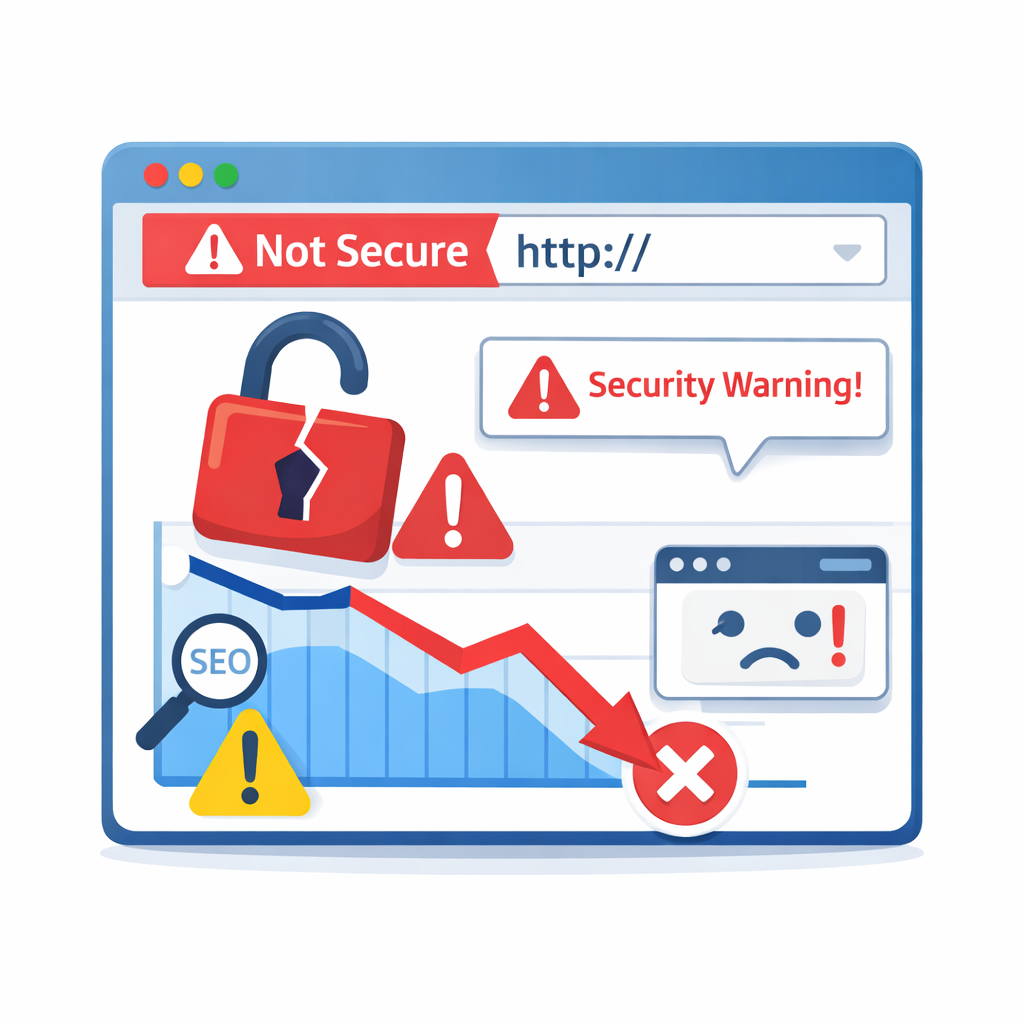
- Browsers show “Not Secure” warnings
- Users bounce quickly
- Conversion rates drop
- Search engines may lower trust signals
AI-driven search models also favour sites that demonstrate strong trust and safety standards.
How to fix it
- Install an SSL certificate (many hosts provide free ones)
- Redirect all HTTP pages to HTTPS
- Update internal links and canonical tags
2. Ignoring Software, Plugin, or CMS Updates
This is one of the most common security mistakes, especially on WordPress websites!
Why it hurts SEO & AEO
Outdated software can:
- Create vulnerabilities that hackers exploit
- Lead to malware injections
- Cause site downtime
- Trigger Google security warnings
Once flagged, your rankings can drop dramatically.
How to fix it
Best practices include:
- Weekly plugin and theme updates
- Core CMS updates as soon as stable
- Regular compatibility checks
- Backup before updating
Consistent maintenance is both technical housekeeping and an SEO protection strategy.
3. Weak Passwords and Poor Access Control
It sounds basic, but weak login credentials are still a leading cause of website breaches.
Why it hurts SEO & AEO
If attackers gain admin access, they can:
- Inject spam content
- Add malicious backlinks
- Redirect your traffic
- Steal customer data
Search engines quickly detect suspicious behaviour and may penalise your site.
How to fix it
Use:
- Strong unique passwords
- Two-factor authentication (2FA)
- Limited admin privileges
- Login attempt restrictions
Security starts with access control.
4. No Website Backup Strategy
Many businesses only think about backups after something goes wrong.
Unfortunately, that delay can cause:
- Lost rankings
- Missing indexed pages
- Broken internal links
- Data loss impacting user trust
Why it hurts SEO & AEO
Downtime and lost content signal instability to search engines.
This can result in:
- Crawl errors
- Reduced trust
- Lower rankings
How to fix it
Implement:
- Daily automated backups
- Off-site storage
- Regular restore testing
- Backup before updates
Think of backups as your SEO insurance policy.
5. Malware or Hidden Spam Infections
Sometimes websites get infected with malware without obvious signs. The site might still load normally while hidden scripts:
- Insert spam pages
- Redirect visitors
- Generate malicious backlinks
- Collect user data
Why it hurts SEO & AEO
Google may:
- Display “This site may be hacked” warnings
- De-index pages
- Reduce domain trust
AI search systems are especially cautious about recommending compromised sites.
How to fix it
Regular security scanning helps:
- Use reputable security plugins or services
- Monitor Google Search Console alerts
- Check unexpected traffic spikes
- Audit backlinks periodically
Early detection prevents ranking damage.
6. Poor Hosting Security or Server Configuration
Your hosting provider plays a bigger role in SEO than many realise.
Cheap or poorly configured hosting can lead to:
- Frequent downtime
- Shared server vulnerabilities
- Slow site speed
- Data breaches
Why it hurts SEO & AEO
Search engines factor in:
- Uptime reliability
- Page speed
- Server response quality
Security issues at the hosting level can affect multiple sites simultaneously.
How to fix it
Look for hosting that offers:
- Firewall protection
- Malware monitoring
- Automatic backups
- Strong uptime guarantees
- SSL integration
Reliable hosting supports both security and rankings.
7. Ignoring Technical SEO Security Signals
Technical SEO and security often overlap.
Common overlooked issues include:
- Broken redirects
- Mixed content errors
- Incorrect security headers
- Outdated scripts
Why it hurts SEO & AEO
These can cause:
- Crawl errors
- Indexing problems
- User trust issues
- Reduced AI recommendation likelihood
Security is increasingly part of overall site quality assessment.
How to fix it
Regular technical audits should include:
- Security header checks
- Redirect validation
- HTTPS consistency
- Script vulnerability reviews
If this feels overwhelming, professional SEO support can simplify things:
https://digitalconsulting.co.za/seo-services-cape-town/
8. Missing Trust Signals and Transparency
Security isn’t only technical, it’s also about credibility.
Sites lacking transparency often struggle with:
- Lower user trust
- Reduced conversions
- Poor AI citation potential
Why it hurts SEO & AEO
Search engines and AI systems evaluate:
- Clear contact information
- Privacy policies
- Terms and conditions
- Author credibility
- Business legitimacy
Without these signals, your site may appear less trustworthy.
How to fix it
Add:
- Visible contact details
- About page with credentials
- Privacy policy and terms
- Trust badges or certifications
- Easy contact options
If you want expert help improving both SEO and trust signals, you can reach out to us!
Why Website Security Matters More in AI Search (2026 and Beyond)
Modern SEO is evolving fast with the frequent AEO updates.
It now combines:
- Traditional optimisation
- AI content structuring
- EEAT credibility signals
- Technical performance
- User trust factors
Security sits at the centre of all of these.
AI search engines and answer engines recommend trustworthy sources. A compromised or unstable website is unlikely to appear in AI-generated answers or summaries.
That makes security not just an IT issue, but a visibility strategy.
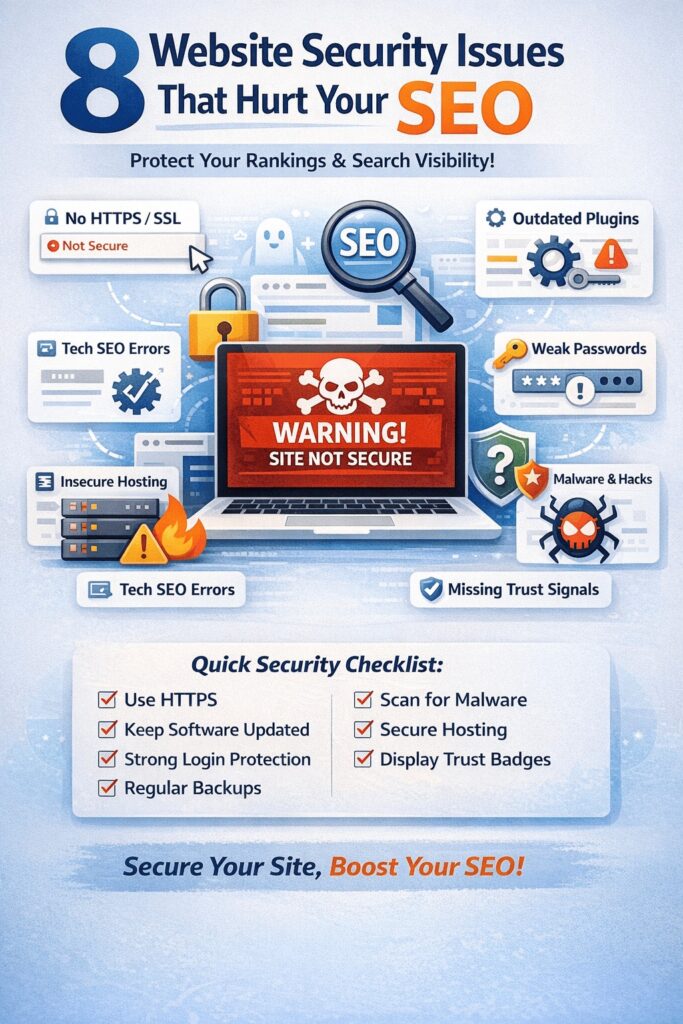
Quick Security Checklist for SEO Protection
Here’s a simple recap:
✅ Use HTTPS everywhere
✅ Keep software updated
✅ Strengthen login security
✅ Maintain daily backups
✅ Monitor for malware
✅ Choose secure hosting
✅ Run technical SEO audits
✅ Display clear trust signals
Small improvements here often produce noticeable SEO gains.
Final Thoughts
Website security and SEO are no longer separate disciplines. They’re closely connected, especially as AI search continues shaping how users discover information online.
A secure website:
- Builds trust
- Improves rankings
- Supports AI visibility
- Protects your reputation
- Enhances user experience
Ignoring security risks hacks and your entire digital presence.
If you treat security as part of your SEO strategy rather than an afterthought, you’ll position your website for stronger performance in both traditional search engines and AI-powered discovery platforms.